
Honen Agent is the Workspace Assistant for content and workspace tasks. Its conversation can stay beside a course editor or management page. Use the Widget Builder for reusable analytics and the learner tutor for help while studying.
Course authoring
Open the course editor with Honen Agent beside it. Ask for a change to specific units, topics, activities, or projects. Attach approved sources and describe the intended outcome. For example:
Use the attached revised checklist to update the welcome-call lesson. Keep the other topics unchanged and leave the result as a draft for review.
The assistant can generate content and media. Add the source assets required by your chosen format, such as a recording for an interactive walkthrough. After processing finishes, open Edit and Preview to review the lesson, play the media, and try the activity before publishing.
Follow Create your first course, Add sources, and Edit and review a course.
Workspace tasks
Start a New session with Honen Agent to ask about accessible Knowledge Base material, courses, groups, assignments, and analytics. Name the course, group, or reporting period when it matters.
What should I prepare before a customer welcome call? Use our Welcome Call Playbook and link the source.
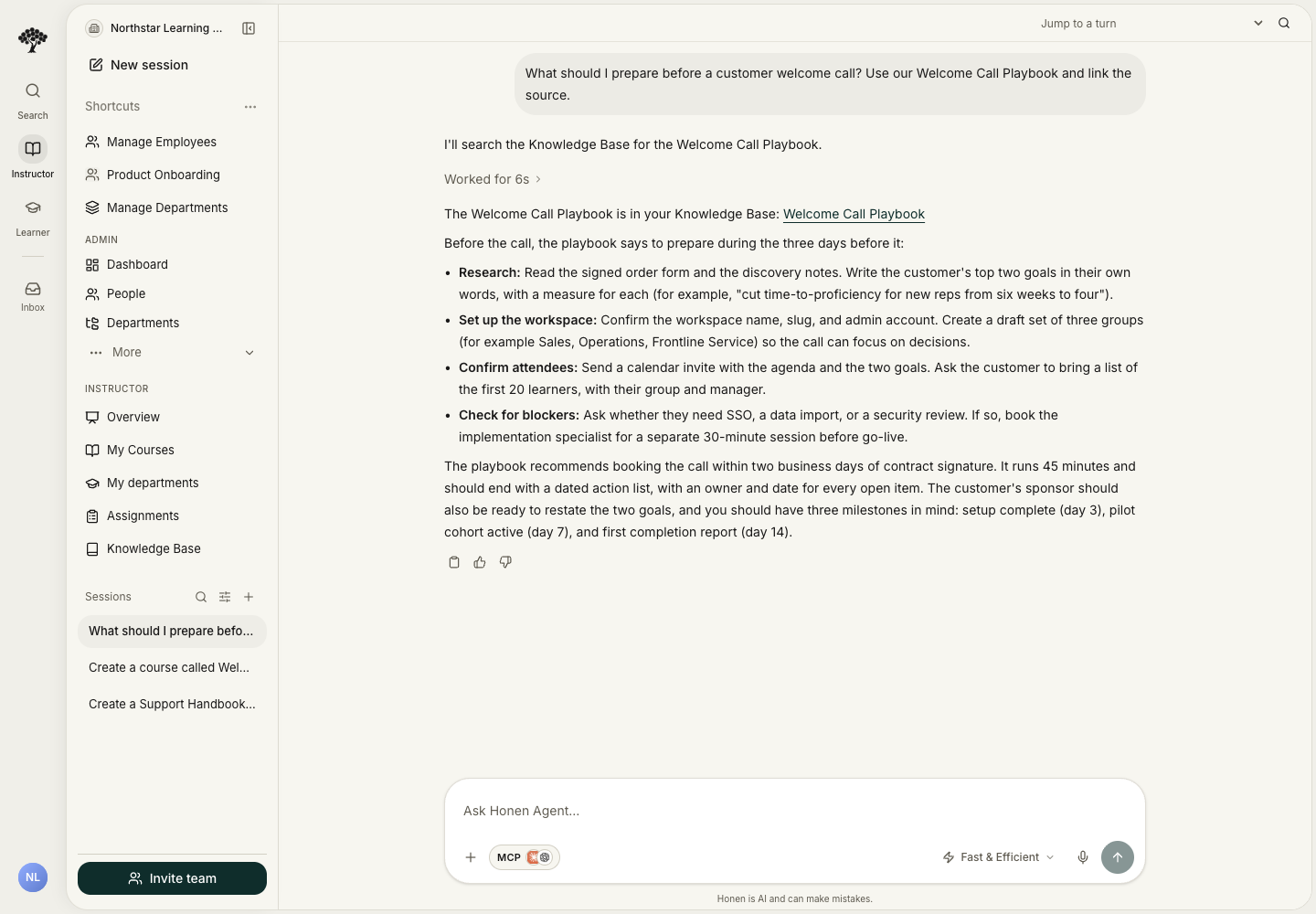
The assistant works within your access. Check the people, group, content, and scope before sending an administrative request; it may save changes immediately. Check the saved result. For a course revision, the editor opens beside the conversation. Review the draft and learner preview before publishing.
See the completed source-backed assistant walkthrough.
Reusable analytics
Use a custom analytics widget when you need a reusable view of data available to your workspace. Describe the metric, population, reporting period, and grouping. Review the generated data and labels before relying on the widget.
For example, request a course-completion breakdown for one group and month. To report on job placements, external exam results, or program demographics, first connect or import those records into the reporting workflow.
A saved widget can refresh using its configured schedule. Use its refresh time and current results to keep reporting aligned with your team’s latest activity. See Analytics and reporting and Funder reporting.
Tutor and custom Agents
The learner's tutor is a separate surface alongside course activities. Workspace Agents are separately configured assistants with their own instructions, access, and channels. Configure each Agent's allowed sources and actions, then use your catalog's approval workflow for course releases.